Timelapse software · for any IP or security camera
Turn the IP or CCTV camera you already own into a construction timelapse.
You already own the camera. Give its photos a safe home.
Turn any FTP-capable IP or security camera into a reliable construction timelapse — free, and with no new hardware. Works with Reolink, Hikvision, Dahua, Axis and more: your images land safely online instead of just on an SD card, ready to render into a film. Unlock sharing, AI and GDPR blurring whenever you need them.
Setup guides: ReolinkBixionHikvisionall supported cameras
No hardware · no credit cardA cloud you need anyway
If the photos only live on the device, they're gone the moment something happens — and on a construction site, something always happens. TLR-Cloud backs up every frame automatically and encrypted, reachable from anywhere.
Travel through your whole build
Every uploaded photo lands in one timeline. Jump to any day and compare progress — right in the browser. Exactly what an SD card can never do.
 Image 6 / 26
Works with any camera that uploads over FTP
See all supported camerasCCTV timelapse: your security camera can do both jobs
Most CCTV cameras on a construction site already have what a timelapse needs: a fixed viewpoint, weather protection, power and a network connection. Scheduled snapshots over FTP run alongside recording and live view, so the security function stays untouched – and at the end of the project the same camera delivers a complete construction timelapse.
Online in 3 steps
1 · Enter your credentials
We host the FTP server — you just paste the access details into your camera.
2 · Photos flow in
Every shot lands automatically and encrypted in the cloud.
3 · Monitor & render
Latest image, gallery and timelapse film — right in the browser.
Camera setup guides
Step-by-step instructions for popular cameras — settings, FTP upload and a reliable schedule.
Everything in the platform
Lots of it is free — pro & AI features are clearly labelled.
Secure cloud storage
Encrypted, automatic, reachable anywhere.
Monitoring & gallery
Alerts, upload check, 1 rendering/month.
Sharing page
A live link for clients, password-protectable.
More storage & renderings
150 GB and 4 finished timelapse films per month.
AI image curation
Best frames automatically, bad weather out.
GDPR blur & branding
People & vehicles blurred, your own logo.
Start free, grow with your project
Free
- Connect IP / FTP camera
- Secure cloud storage (2 GB)
- Monitoring & gallery
- 1 rendering / month
Professional
- Everything in Free
- Sharing page + password
- Book extra storage
- 150 GB · 4 renderings/mo
Business
- Everything in Professional
- AI image curation
- GDPR blurring + branding
- 250 GB · unlimited renderings
First, do the math: timelapse calculator & coverage planner
Work out interval, storage needs and camera position up front.
Sharing
A live page for your client.
Give clients and stakeholders a branded, password-protectable page — the latest image, the full gallery and a one-click timelapse, always up to date. No logins, no downloads.
Open a live demo page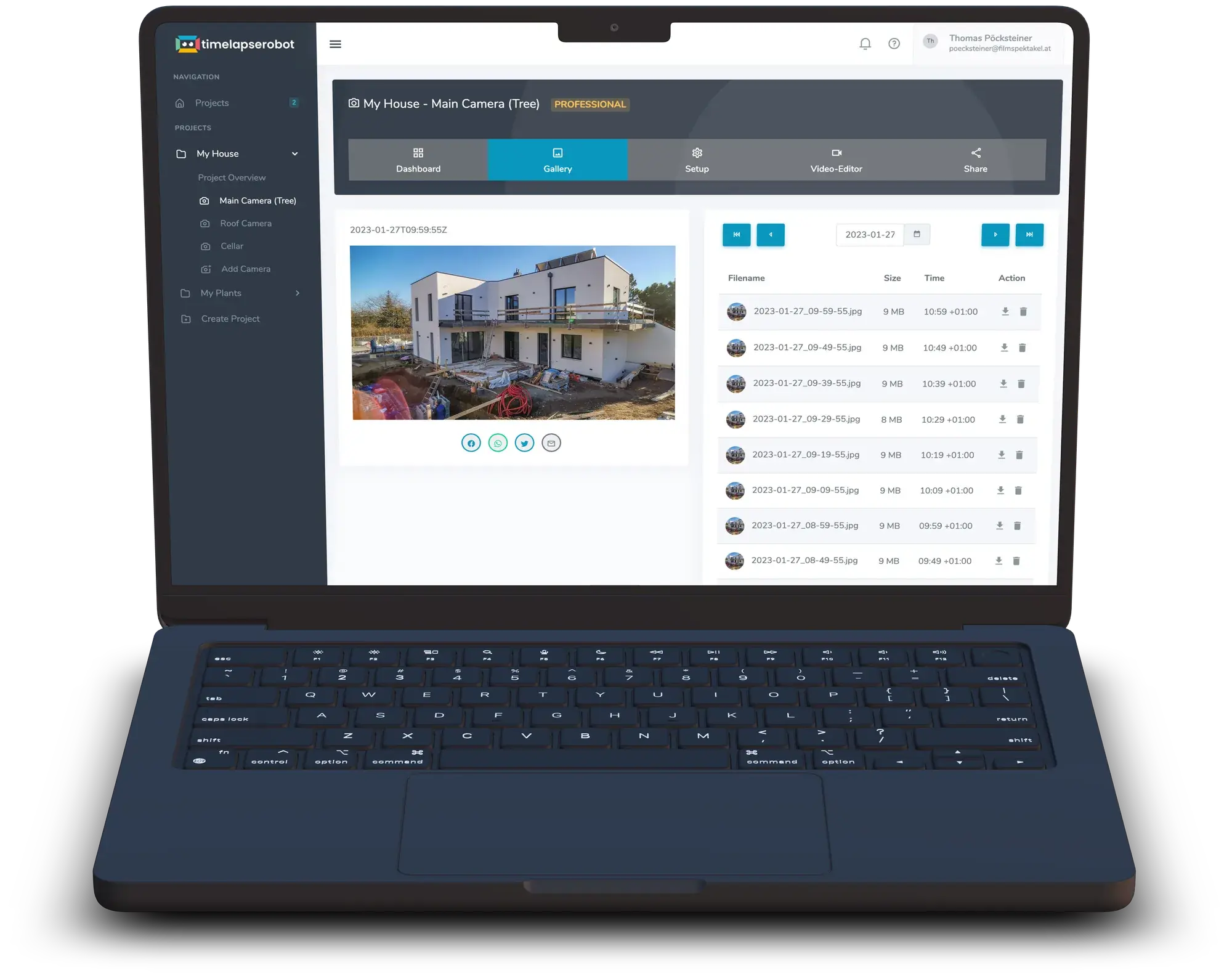
Frequently asked questions
- Which cameras work with TLR-Cloud?
- Any camera that can upload snapshots over FTP on a schedule: Reolink, Hikvision, Dahua, Axis, Mobotix, Bosch, Hanwha, Bixion and most other IP or CCTV cameras. Tested step-by-step guides exist for Reolink, Hikvision and Bixion; the supported-cameras page lists where the FTP setting sits for the other brands.
- Can I make a timelapse with a CCTV or security camera?
- Yes, if the camera can upload scheduled snapshots over FTP – most Hikvision, Dahua, Reolink and Axis models can. Recording and live view keep running; the snapshots go to TLR-Cloud in parallel and are rendered into a timelapse there.
- Do I need port forwarding or a fixed IP address?
- No. The camera opens the connection outward to our FTP server, so it works behind a normal router, a mobile-network connection or carrier-grade NAT without any change to your network.
- Does it work over LTE or 5G?
- Yes. An LTE router with a data SIM is enough. One image every 10 minutes is about 4,300 images a month, so multiply your camera's JPEG size by 4,300 to size the SIM's data volume.
- What does the free plan include?
- One connected FTP camera, 2 GB of encrypted cloud storage, upload monitoring with the gallery, and one rendered timelapse per month. No credit card needed.
- What happens to the timelapse when the internet on site fails?
- If the camera buffers to its SD card and re-uploads afterwards, nothing is lost: the late images land at their original capture time. We tested this with a Hikvision camera – see the internet outage test in the blog.
- Can I use the camera's built-in timelapse mode instead?
- We advise against it. Built-in timelapse modes write a finished video to the memory card, not individual images, and they tend to fail over weeks. Scheduled snapshots over FTP give you every frame, safely online.
From the blog: all about IP & FTP cameras


Connect your FTP camera — for free
Start with the camera you already have. Your images are safe in the cloud right away. Unlock sharing, AI and GDPR blurring whenever you need them.