Features
Hardware and software, working as one.
From capture to management to sharing — every step is considered, so you can focus on the construction.
Hardware optional
Use a GoPro, an IP camera, or any FTP-enabled camera. If it can upload over FTP, it streams straight into Timelapserobot Cloud — no Timelapserobot hardware required.
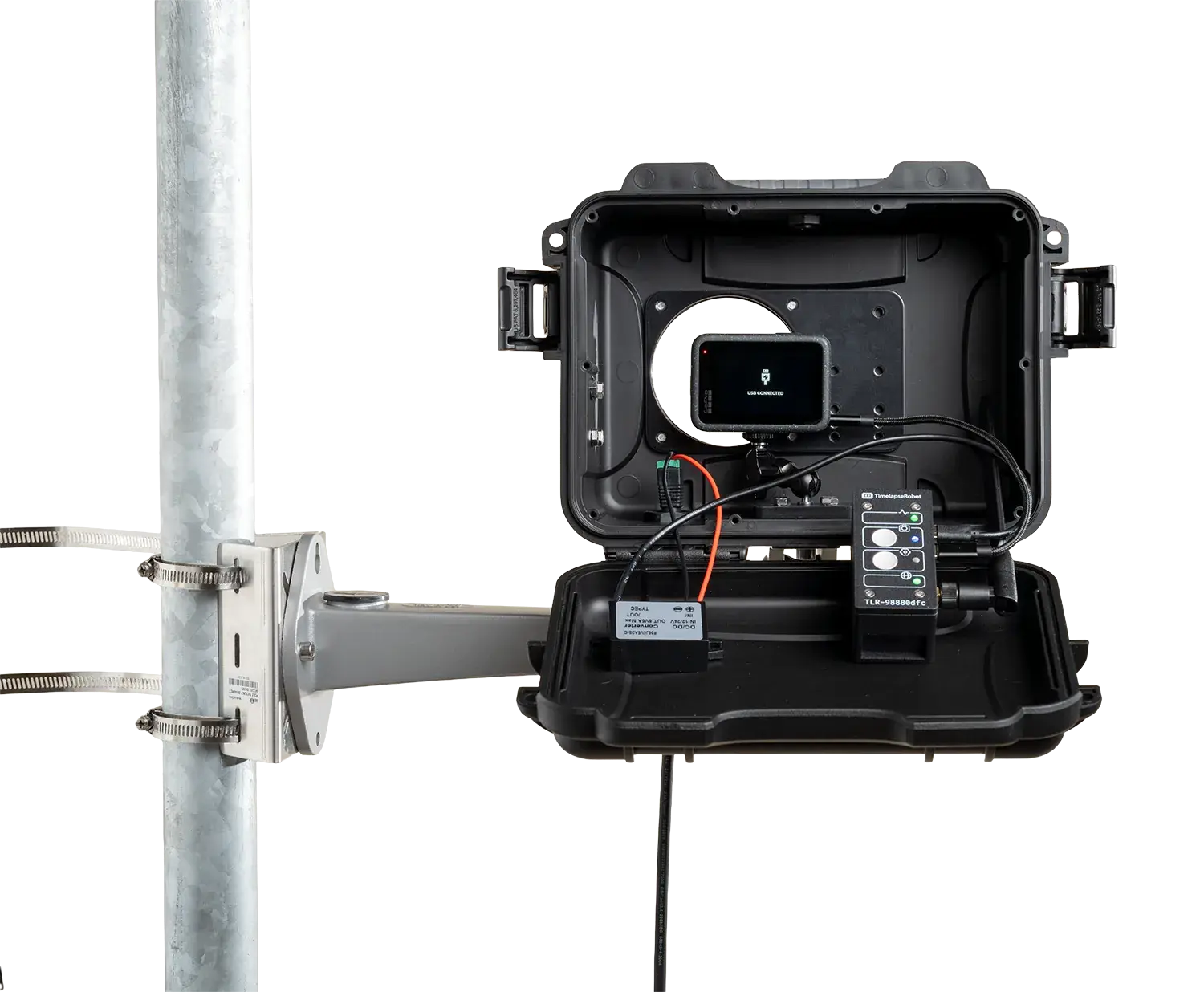
Automatic interval capture — no manual triggering
Professional image quality, built to run unattended for months.
- 5.3K wide-angle optics
- Weatherproof industrial housing
- 4G / LTE — no site Wi-Fi required
- Mains power
- Remote interval & settings control
Remote management from any device
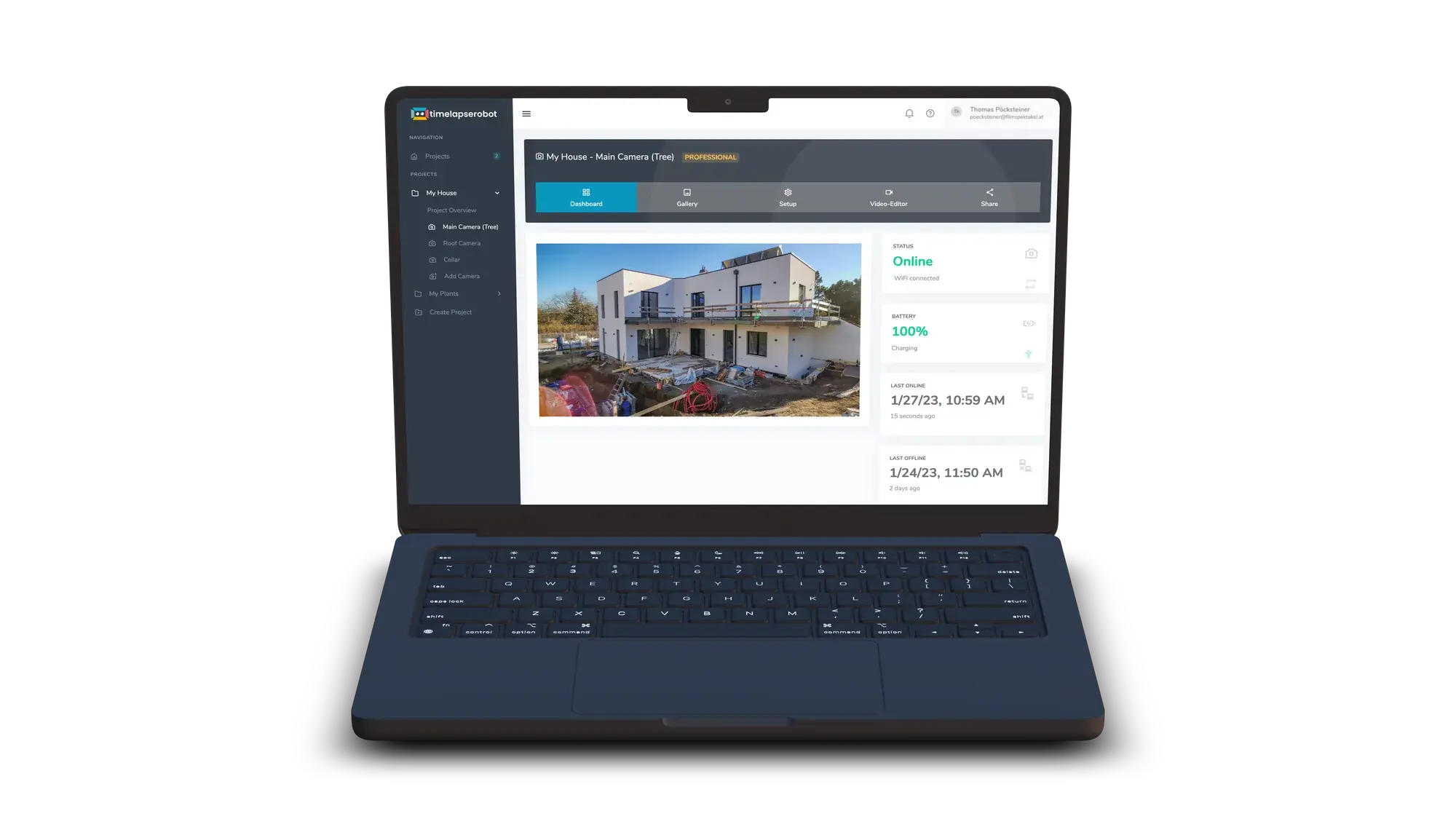
One dashboard for every camera, every project.
- Latest image & gallery
- Smart alerts for missing frames
- Unlimited projects
- Secure image storage
- Bulk image download
- Image forwarding to FTP / Dropbox
AI curation and one-click client sharing
Let the platform curate, comply and present the work.
- AI visibility rating
- AI time-of-day tagging
- AI people & vehicle blur
- Full GDPR compliance
- One-click timelapse rendering
- Branded, password-protected sharing pages
Plans & features
Every feature, by plan.
The complete list of software features, grouped by the plan they're included in. The free plan runs a camera — upgrade for more storage, renderings and the full AI suite.
Free
Included on every planUpgrade & downgrade anytime
Upgrade or downgrade your shooting device's plan anytime during your project to get the features and storage you need.
Low battery notification (smartphones)
Receive an email notification when your shooting device's battery drops below a specified threshold.
Rotate incoming images
Automatically rotate incoming photos by 90, 180, or 270 degrees.
Multiple shoot plans (smartphones & GoPros)
Create multiple shoot plans for your smartphone or GoPro and activate the one that suits your current needs.
Dashboard overview
Monitor your shooting devices with a user-friendly dashboard that provides valuable stats and information for each camera.
Change camera settings remotely
Remotely adjust camera settings for your smartphone or GoPro. For IP cameras, follow our easy-to-understand guides.
Unlimited projects
Organize all your shooting devices by creating unlimited projects to suit your needs.
Remote control
Access TimelapseRobot from anywhere on any device with a web browser — convenient and secure access to your projects.
Automatic alert system
Alerts in our web app keep you informed if a camera or project needs attention. Mark alerts as 'read' to track new ones.
Automatic 24-hour upload check
Automatically check your shooting device every 24 hours and receive an email if photos are missing.
Blur areas
Define specific areas in your images to be blurred automatically to stay GDPR compliant.
Secure image storage
All images are stored with advanced encryption. Strict access controls and secure URLs ensure only authorized users can view your content.
Notes & renaming
Keep your workspace organized by naming, renaming, or adding notes to your projects and shooting devices.
No ads
Enjoy an ad-free experience, even if you use the free version.
Instant offline notification (smartphones)
Get an instant email notification if your smartphone loses connection.
Image of the day email
Receive a daily photo to a specific email address, so you can check your camera's view directly in your inbox.
Manual trigger (smartphones & GoPros)
Manually trigger and upload a test shot from your shooting device anytime.
Gallery & archive
View, download, or delete photos in an easy-to-filter gallery and archive.
Render timelapse video
Render and download a timelapse video from your footage anytime by selecting a start and end time.
Unlimited shooting devices
Add as many shooting devices to a project as you need, regardless of the project's size.
Responsive design
Our web app fits any screen — desktop, tablet, or smartphone — enhancing usability on the move.
Professional
Professional & BusinessBulk image download
Download all images from your shooting device in a single ZIP folder in their original resolution.
Dedicated sharing page
Activate a dedicated sharing page with your latest image, archive, slider, and timelapse play button.
Image forwarding to FTP server
Automatically forward each incoming photo to any FTP server.
Embed code
Activate an embed code that always shows the latest image from your shooting device on your website.
Expand your storage
Upgrade or downgrade your shooting device's storage space as needed.
Image forwarding to Dropbox
Automatically send a copy of each incoming photo to your Dropbox.
Password protection for sharing page
Set a password to protect your sharing page from unwanted visitors.
Multiple email notifications
Set up multiple email addresses to receive automatic notifications and/or the image of the day.
Business
Business onlyAI visibility rating
AI rates every image from 1–4 stars based on visibility. Easily remove bad-weather days and keep only clear footage.
AI vehicle blur
Automatically blur vehicles in your photos to stay GDPR compliant. Adjust sensitivity as needed.
Customize sharing page
Set a custom color for your sharing page to match your or your client's branding.
AI time-of-day tagging
AI automatically tags each image by time of day. Filter out night shots or view only sunrises and sunsets in one click.
AI people blur
Automatically blur all persons in your photos to stay GDPR compliant. Adjust sensitivity as needed.
Full GDPR compliance
Use Area Blur, AI People Blur, and AI Vehicle Blur to ensure strict GDPR compliance.
Logo upload
Upload a custom logo for each sharing page to fit your or your client's branding.