Business
AI image rating
The AI rates every image from 1 to 4 stars for visibility and tags the time of day. You filter which images go into your timelapse or your ZIP download.
TLR-Cloud · software
Your camera uploads the images. TLR-Cloud collects them, checks the upload every day and turns them into a timelapse in one click. For any camera with FTP upload, for your GoPro with the TLR-Bridge and for Android smartphones with our app.
Free €0 · free for every camera, with 2 GB of storage per camera · no credit card needed
Step 1
Three ways in, depending on what you already have. An Android smartphone with the Timelapserobot app can upload images to TLR-Cloud too.
If your camera can upload images via FTP, it sends them straight to TLR-Cloud. You don't need any hardware from us.
The TLR-Bridge controls your GoPro and uploads the images over 4G. As a complete kit, it comes with a weatherproof housing and a power supply.
Already have photos from your site? Upload them to TLR-Cloud, then continue the series with automatic uploads.
All plans
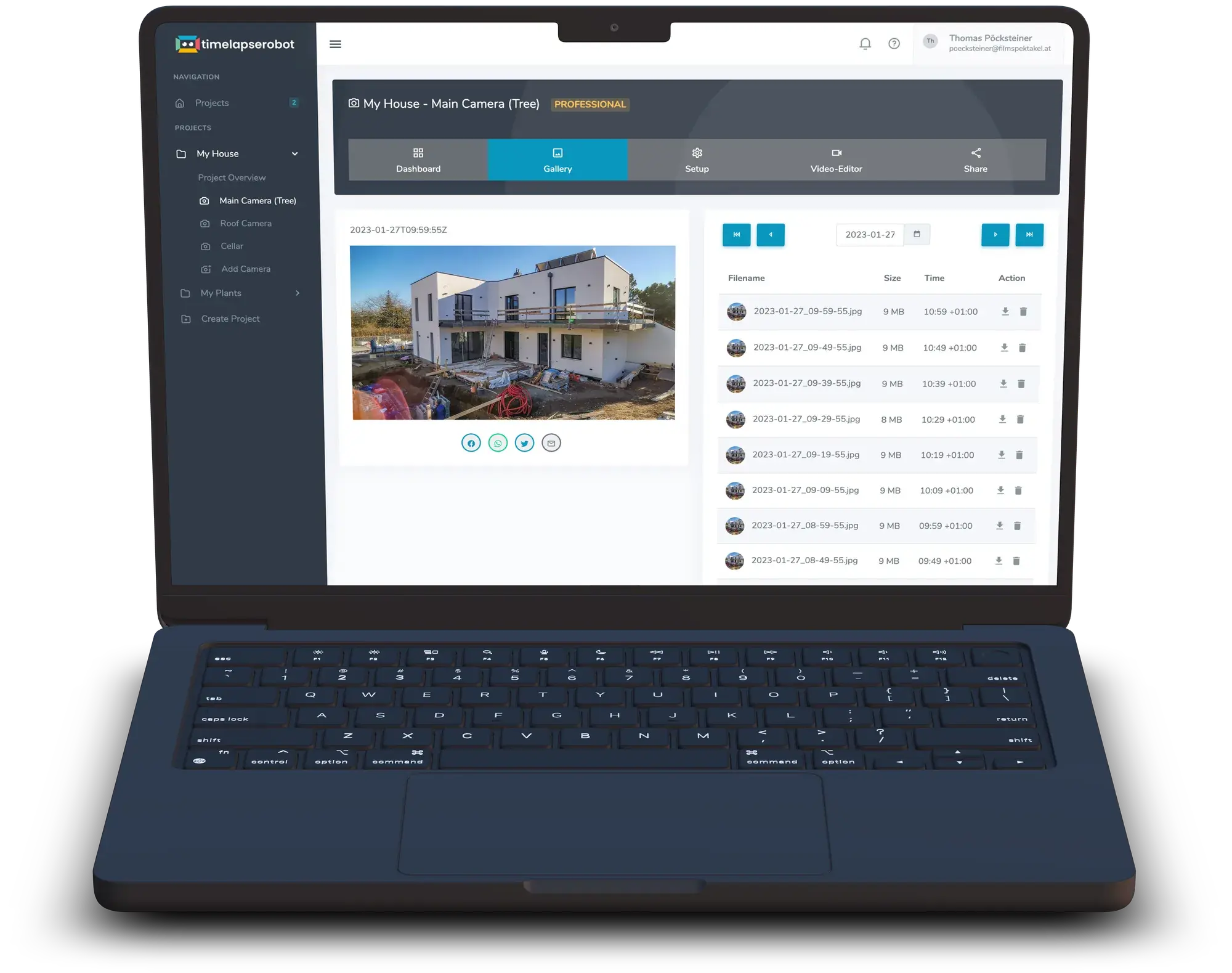
Every image lands in the gallery and archive. Drag the slider to travel through the build and jump to any day. If something is missing, TLR-Cloud lets you know.
 Image 6 / 26
Professional and Business
On Professional and Business, every camera gets its own sharing page (called Landing Page in the app). Send the link to your client or your team, and everyone can follow the progress.
Help with privacy
Site cameras often capture neighbours, passers-by and cars. TLR-Cloud helps you make them unrecognisable.
All plans, including Free
You mark fixed areas, such as the neighbours' windows. They are blurred in every new image, and also in the rendered video, on the sharing page and in the embedded image.
Business
The AI detects people and vehicles and blurs them automatically.
AI image filter · Business
With Business, the AI rates every image for visibility and tags the time of day. You set the filter and decide which images go into your timelapse.
Rendering
Pick a period and TLR-Cloud renders a finished timelapse from it. With Business, you can filter by visibility first. No editing software needed.
For companies
One account covers all your sites. Billing is per camera per month.
Plans
2 GB storage per camera · 1 video rendering / month
150 GB storage per camera · 4 video renderings / month
250 GB storage per camera · Unlimited video renderings
Prices excl. VAT. Cancellable monthly; your plan runs until the end of the paid month. Extra storage for Professional and Business: 100 GB for €5 net a month.
What's new in TLR-Cloud
The AI rates every image from 1 to 4 stars for visibility and tags the time of day. You filter which images go into your timelapse or your ZIP download.
You choose the format (MP4 or ProRes), resolution, frame rate and the length of the finished video. 720p and 1080p are included in every plan. 4K and “As uploaded” come with Professional and Business.
Area Blur now has four intensity levels: Low, Medium, High and Maximum. The blur ranges from subtle to fully opaque.
You get a warning email before your storage is full. Once it is full, the upload stops; nothing is deleted automatically. Storage is per camera: 2 GB on Free, 150 GB on Professional, 250 GB on Business. With Professional and Business you can add extra storage: 100 GB for €5 net a month. Work out how long your storage lasts with the timelapse calculator.
Free for every camera, with 2 GB of storage per camera. No credit card needed. Switch to Professional or Business when you need more storage, more renderings or a sharing page.