Brinno vs Timelapserobot: which construction time lapse camera fits your site?
Brinno BCC2000 Plus and BCC5000 against the Timelapserobot GoPro system: power, connectivity, where your images live, and real 12-month cost. With a clear answer on when Brinno is the better buy.
Written by Timelapserobot, maker of one of the systems compared.
Quick answer
Buy Brinno if your camera position has no mains power and nobody needs to check progress from the office: the BCC2000 Plus runs up to a year on AA batteries with no subscription. Buy Timelapserobot if the site has power and you want every image online and an alert when uploads stop without a mandatory subscription, plus a client share page on the paid plan. The BCC5000 sits in between: battery-powered with app access, but at almost twice our price.
This comparison is written by Timelapserobot, so you know where we stand. We have not run Brinno cameras on our own sites; every Brinno fact below comes from Brinno's product pages, German reseller listings and independent reviews, last checked in September 2026 and linked at the end. Where Brinno is the better choice, we say so.
At a glance#
| Timelapserobot Complete Setup | Brinno BCC2000 Plus | Brinno BCC5000 | |
|---|---|---|---|
| Price (Germany, Sept 2026) | €999 | ~€689 | ~€1,640–1,900 |
| Camera | GoPro HERO 13, stills up to 5.3K | Brinno TLC2000, 1080p | Brinno TLC5000, 4K, Sony Starvis 2 |
| Power | Mains, continuous | 16 AA batteries, up to ~328 days at 5-min interval | Rechargeable pack, ~6 months at long intervals |
| Internet connection | Built-in LTE or Wi‑Fi | None (cable to a Windows laptop on site) | Wi‑Fi or hotspot, no LTE |
| Where the images live | TLR Cloud timeline, plus SD card or an optional plug-in SSD | SD card in the camera only | Brinno Cloud via app and browser |
| Alert when capture stops | Yes, upload monitoring | No | App notifications (Wi‑Fi dependent) |
| Client share page | Yes, password-protected link (Professional plan) | No | Via Brinno Cloud |
| Finished film | One-click render in the cloud | Camera builds the video file on the SD card | App or cloud |
| Cloud cost | Free plan; €29 or €49 per camera/month optional | None | Included; storage tiers not published |
| Hardware after the project | Standard GoPro, reusable | Timelapse camera only | Timelapse camera only |
Where Brinno is the better choice#
No power at the camera position. This is the deciding factor for most buyers. A BCC2000 Plus on 16 AA cells runs for months, and a BCC5000 for around half a year at long intervals. Our system needs continuous mains power and we do not sell a battery or solar option. If you cannot get a cable to the camera, Brinno wins before any other criterion matters.
Nobody will look at the images until the end. If the timelapse is a nice-to-have film for the topping-out ceremony and no one wants weekly progress checks, the BCC2000 Plus does exactly that job for €689 and no fees.
Lowest possible involvement. Mount it, start it, collect it. The Brinno workflow has no cloud account, no login, no plan to choose.
Where Timelapserobot is the better choice#
You want to know the camera is still running. Long construction timelapses fail quietly: a tripped breaker, a full card, a knocked lens. With Brinno you find out on your next site visit. With Timelapserobot every image lands in the cloud within minutes and you get an alert when uploads stop, so a two-day gap stays a two-day gap instead of a two-month one.
The images must survive the camera. A Brinno stores everything on the SD card inside the housing. If the camera is stolen, drops, or the card fails, the project record is gone. Our system keeps a copy of every frame online from day one.
Someone else needs to see progress. Project managers, investors, a client. Timelapserobot gives you a password-protected share page with the latest image, the full gallery and a rendered film, from the Professional plan at €29 a month. Brinno's BCC2000 has no equivalent; the BCC5000 offers app and cloud access, but only when the camera has Wi‑Fi.
You want 4K without paying €1,900. The BCC5000 is Brinno's answer to connected 4K, and it is a good camera, although the GoPro HERO 13 in our system still delivers the better image. It also costs almost twice our complete system, and its cloud storage limits were not published when we checked.
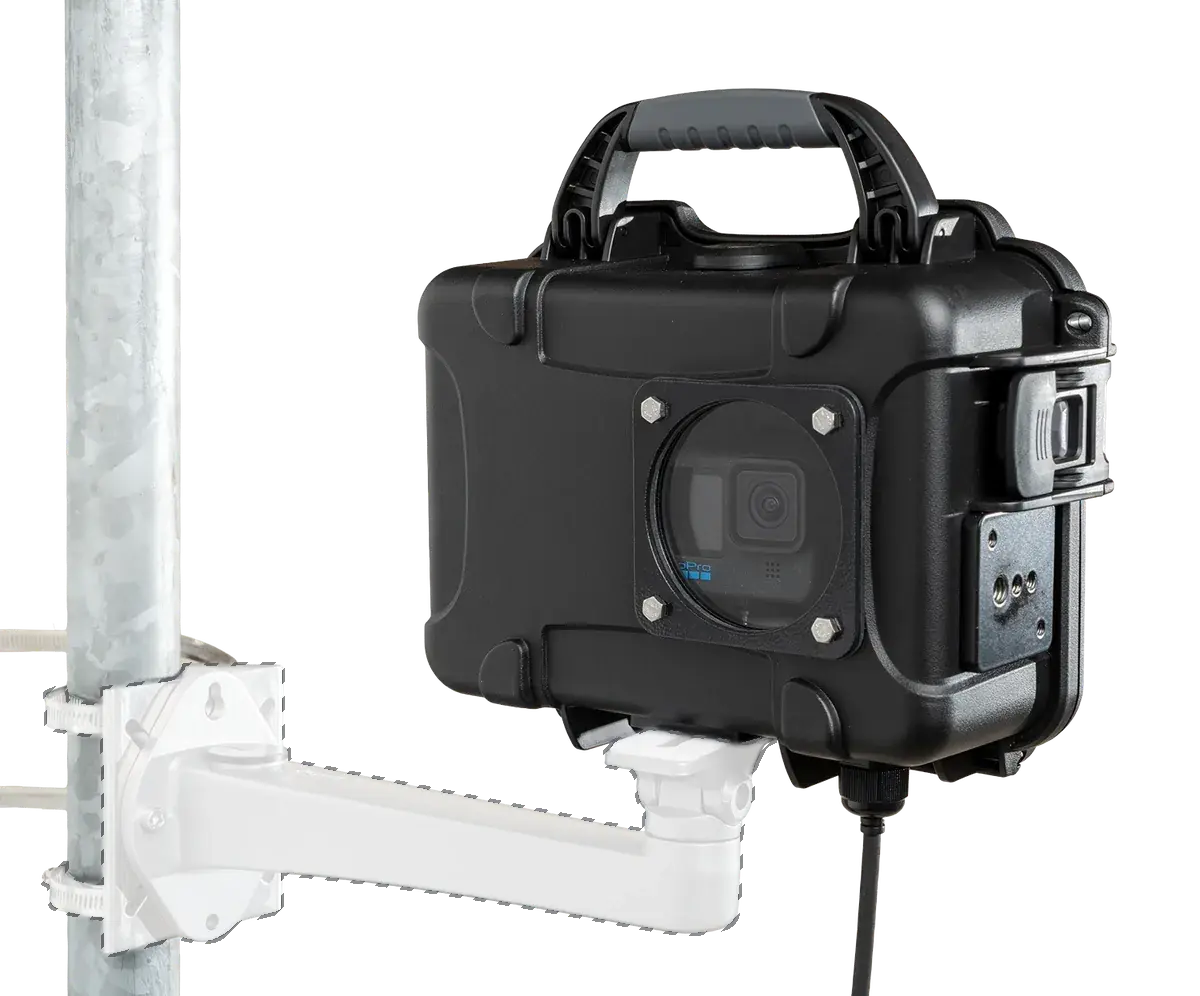
You want the camera back afterwards. Our housing holds an unmodified GoPro HERO 13. When the project ends, it is a normal action camera again.
Cost over 12 and 24 months#
| Timelapserobot | Brinno BCC2000 Plus | Brinno BCC5000 | |
|---|---|---|---|
| Hardware | €999 | ~€689 | ~€1,640–1,900 |
| Cloud, 12 months | €0 (Free) / €348 (Pro) / €588 (Business) | €0 | included, limits unpublished |
| Batteries, 12 months | €0 | ~€20 per set of 16 AA, roughly once a year | rechargeable, included |
| Total, 12 months | €999 to €1,587 | ~€709 | ~€1,640–1,900 |
| Total, 24 months | €999 to €2,175 | ~€729 | ~€1,640–1,900 |
The BCC2000 Plus is the cheapest option on paper over any period. The question is what a missed month of footage costs your project. Our free plan already includes the upload check and archive, so the realistic comparison for most sites is €999 against €689, with connectivity being the difference.
Can I use a Brinno with TLR Cloud?#
No. Brinno cameras do not upload images over FTP, so they cannot feed our platform. If you already own an IP camera from Reolink, Hikvision, Dahua or Axis, that is different: those upload over FTP and work with TLR Cloud for free.
Verdict by scenario#
- No mains power, no remote need: Brinno BCC2000 Plus.
- No mains power, site Wi‑Fi available, budget for 4K: Brinno BCC5000.
- Mains power available, you want remote checks, and a share page on the paid plan: Timelapserobot Complete Setup.
- You already own an FTP-capable IP camera: connect it to TLR Cloud, buy nothing.
For the full field including Enlaps Tikee, Afidus, Technaxx and managed services, see our roundup of the best construction time lapse cameras. If Tikee is on your shortlist, read Tikee vs Timelapserobot.
Sources#
- Brinno BCC2000 Plus product page and German price at Foto Erhardt
- Brinno BCC5000 product page, German price at Foto Erhardt, Digital Camera World review
- Timelapserobot Complete Setup and pricing
Frequently asked questions
- Is Brinno or Timelapserobot better for a construction site without electricity?
- Brinno. The BCC2000 Plus runs up to a year on AA batteries and the BCC5000 around six months on its rechargeable pack. Timelapserobot needs continuous mains power and offers no battery or solar variant.
- Does the Brinno BCC2000 Plus connect to the internet?
- No. It stores images on its SD card and is configured over a cable to a Windows laptop on site. Only the newer BCC5000 has Wi‑Fi, Bluetooth and cloud access.
- Do I need a subscription with Timelapserobot?
- No. The system works offline to the SD card or an optional plug-in SSD, and the free cloud plan includes upload, archive, upload alerts and one render per month. Paid plans at €29 or €49 per camera per month add storage, more renders, AI frame selection and GDPR blurring.
- Can I connect a Brinno camera to the Timelapserobot cloud?
- No, Brinno cameras do not upload over FTP. FTP-capable IP cameras from Reolink, Hikvision, Dahua or Axis can be connected for free.
- Which one has better image quality?
- Timelapserobot. The GoPro HERO 13 in our system captures stills up to 5.3K and delivers the better image. The Brinno BCC5000 shoots good 4K from a Sony Starvis 2 sensor, and the BCC2000 Plus is limited to 1080p, which is fine for a film but thin for still images.
Site has power and you want to see every frame from the office?
GoPro HERO 13, LTE, weatherproof housing and free cloud, ready to plug in.
See the Complete Construction Timelapse Setup